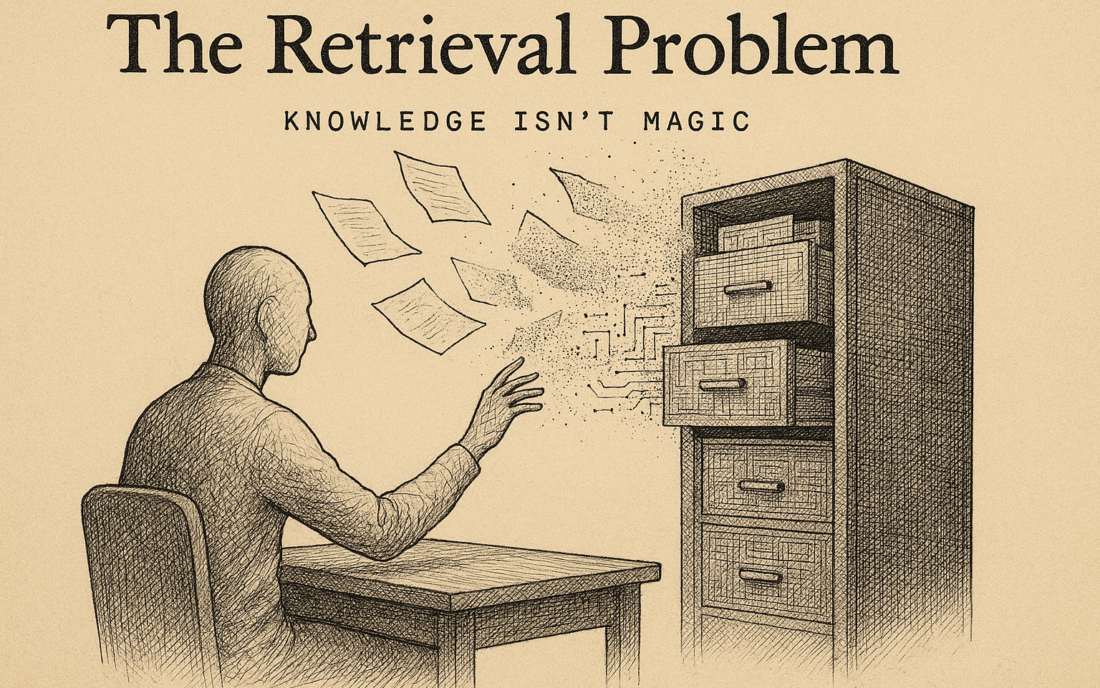
The Problem: A Year of Intranet, Now an Agent
I built an intranet for Guidance last year. That was the work: centralize all information so everyone — regardless of department — could find what they needed. Who is our client X? What’s in contract Y? How does onboarding work? Where is that document about last year’s decision?
It works. Everyone uses it. And I’ve learned what it means to actually make information accessible.
Now we want to take the next step: instead of searching, ask questions. An AI agent that queries that intranet and gives answers. Sounds simple. Which is exactly why I’m careful.
The problem isn’t that the AI isn’t smart enough. Most agent failures don’t come from weak models, but from missing or poor context. I’m afraid of something else: that I don’t understand my intranet well enough yet to give it to an AI.
What a Year of Intranet Taught Me
Three things that make me cautious:
1. People Don’t Search Like You Think
When we built the intranet, we’d created a search function that — on paper — was logical. Categories, tags, hierarchy. But how people actually use it? Completely different. They search on keywords that aren’t in our structure. They find something, and three minutes later realize they need something else that isn’t nearby. They forget a document exists until someone else points to it.
An AI agent with the same retrieval problem, just sounding “smarter,” won’t grow through this problem. It’ll hide it instead: the agent will answer with confidence based on partial information.
2. Information Is Stored Chaotically
I thought I could fill the intranet and be done. But information at Guidance sits everywhere: Git (code, architecture decisions), Jira (tasks, bugs, discussions), Notion (processes, templates), Slack (decisions, quick-fixes, context that never gets exported), Google Drive (contracts, analyses). Each system has a different format, different permissions, different update rhythm.
To bring all that into the intranet, I had to normalize. What counts as “a piece of information”? What do I keep, what do I discard? Which context is essential, which is noise?
Now I want to do the same for RAG: throw that chaos into a vector database. And I already know the intranet isn’t perfect. So my AI won’t be either.
3. Context Disappears
A Jira ticket says: “Fix authentication for API.” Fine. But why? What was the bug? Which customer was affected? What was the discussion? That’s in Slack, or in a meeting note, or nowhere.
My intranet can partly solve this (we link tickets to issues, we write context down). But much context is implicit: it lives in people’s heads. An AI reading the ticket sees only the ticket. Then it gives an answer that’s formally correct but not wiser.
RAG and Memory Aren’t the Same
I see people confuse these, so I’ll be sharp.
RAG is: your agent gets a question, pulls relevant chunks from your database (in my case: my intranet), passes those to the model, and it answers. Stateless. Every question starts fresh.
Memory is: your agent remembers what it did in previous conversations, what patterns it’s seen. Stateful. Context accumulates.
Your agent needs both. Without RAG it answers based on what the base model “knows” — so mediocre. Without Memory every question starts over.
For my intranet: RAG means the agent pulls Jira tickets, wiki pages, contracts. Memory means it remembers: “This person asks a lot about onboarding — next time offer it faster, suggest related documents.” One doesn’t replace the other.
Privacy Is Your Advantage, But Only If You Actually Do It
I’ll be honest: my company doesn’t want its information on OpenAI’s servers. That makes sense. So we build in-house.
But: if I use Claude or OpenAI for reasoning — and I probably will need to — then I’m uploading context to their servers. So: not entirely private. And if I outsource my vector database to Pinecone (convenience, scale), that’s not in-house either.
My privacy advantage only works if I’m consistent. Which means: maybe local models, maybe self-hosted, maybe data extraction before upload. That costs more than “we’ll just put Claude on it.”
This isn’t a reason not to start. This is a reason to be careful. Privacy advantage deserves caution.
The Integration Chain: Where Real Work Begins
My intranet fills itself from six sources: Git, Jira, Notion, wiki, Google Drive, Slack (partial). Each with its own sync pattern, schema, permissions. This was already hard.
Now I want to do the same for the AI: same sources, but into a vector database. That adds:
- Latency: how fast is my data available in the vector database? Realtime? Nightly batch?
- Sync: a Jira ticket changes; when does my vector database know?
- Failure points: if one connector breaks, what then? Does the agent give stale information?
- Permissions: what information can which person see through the agent? You have to normalize this before indexing.
Progress says: “This is a few weeks of work.” That’s technically true. It doesn’t count the integration pain I already know.
Three Precautions Before I Write Code
1. Define Your Metric — Now, Not Later
My intranet baseline: how long does it take now to find information? Five minutes? Fifteen? Who searches? How often? Which questions get repeated?
I have this data. Now I need to harden it into “success criteria”:
- If the AI gives the same answer as the intranet, but in 30 seconds, that’s a win.
- If the AI answers 90% of questions correctly (after optimization), that’s acceptable.
- If my team doesn’t use it 2 out of 5 workdays, I stop.
Without these criteria I won’t know if I’ve achieved anything.
2. Test Your Retrieval Before You Ship Your Agent
DoorDash and Grab both use: RAG + verification + human escalation. They teach me: retrieval alone isn’t enough. If my vector database pulls bad relevant chunks, my agent gives bad answers. No model solves that.
My proposal: before going live, I test by hand. “How does my retrieval surface information for these 10 questions?” Does it work? What’s missing? Then I optimize. Then live.
3. Decide Who Sees What — Before You Index
My intranet has permissions: not everyone sees contracts, not everyone sees salaries. If my AI doesn’t respect that, I’m giving confidential information to everyone. That’s a permissions problem, not tech.
Before I index, I need to decide: which intranet documents can all employees see via the AI? Which only managers? This has to be in my vector database and retrieval logic.
Where This Breaks and How I See It Coming
Incomplete Information
My intranet isn’t complete. Old Slack threads aren’t in it. Deleted Google Docs either. My AI will say: “nothing is known about that” — technically correct, useless for users.
Preventing this: I accept gaps exist, or I fill them upfront. Nothing in between.
Context Loss Through Normalization
A Slack thread has nuance. Discussion. Context. When I summarize that into two sentences for the intranet, nuance vanishes. My AI sees only those two sentences. Then it gives simpleminded answers.
This is inevitable. I can minimize it: add links, backrefences, say clearly where full context lives. But prevent it entirely? No.
Sync Lag
A contract is updated. My intranet sees it today. My vector database sees it tomorrow (if I have nightly sync) or never (if I forget). My AI gives old information.
This determines my architecture: realtime sync (more expensive, complex) or batch (slower, riskier)? I have to choose and accept what that means.
Hallucinations With Authority
This is my biggest fear: an agent that gives a wrong answer but says it with such confidence that people believe it. My intranet says “I don’t know this.” My AI says “this is how it is” — except it’s wrong.
Preventing this: guardrails. Verification. Confidence scores. And training my team: “this is an assistant, not a source of truth.”
How I Start
Week 1-2: I index one data source — let’s say my wiki pages and Jira tickets. Test: “How does my vector database surface information for these 10 questions?” What works? What’s missing?
Week 3-4: I test a first agent. Ask questions. See what breaks. Note false negatives (questions with no answer but should have one) and hallucinations (wrong answers).
Week 5-6: I fix what I’ve learned. Adjust chunking? Switch vector model? Add context? This determines whether week 7 goes live.
Week 7+: Then I add the next data source. Not everything at once. Step by step, measuring each time.
This isn’t slow. This is careful. Big difference.
The Exit Strategy
Before I start: when do I stop?
I say it out loud:
- If my team after four weeks sees “we don’t use this, we still search ourselves,” I stop.
- If maintenance costs more than savings (engineering hours greater than intranet-search questions saved), I stop.
- If hallucinations stay above 15% after I’ve optimized, I stop.
- If my vector database is constantly out-of-sync, I stop.
Saying this makes stopping not feel like failure. It feels like caution.
Why This Makes Sense Now
I’ve done a year of information architecture. I know how people actually search. I know where data lives, what’s chaotic, what works. That’s a strong foundation.
An AI agent that can query my intranet can answer faster than humans searching by hand. That pays off. But only if I’m careful. Only if I test. Only if I stop when it doesn’t work.
I’m writing this for myself. I want to read it again in six months and think: yes, we saw this coming properly.
Sources
- Building a Company Knowledge Assistant with Agentic RAG — Progress
- 10 RAG Examples and Use Cases From Real Companies — Evidentlyai
- AI Agents – Lesson 6: Memory, Context, and RAG — Claudia Plus AI
- RAG vs Memory for AI Agents: What’s the Difference — Memori
- Agentic RAG Explained: Smarter Retrieval With AI Agents — Glean